AP Computer Science A: Fundamentals of Object-Oriented Design
Abstraction and Program Design
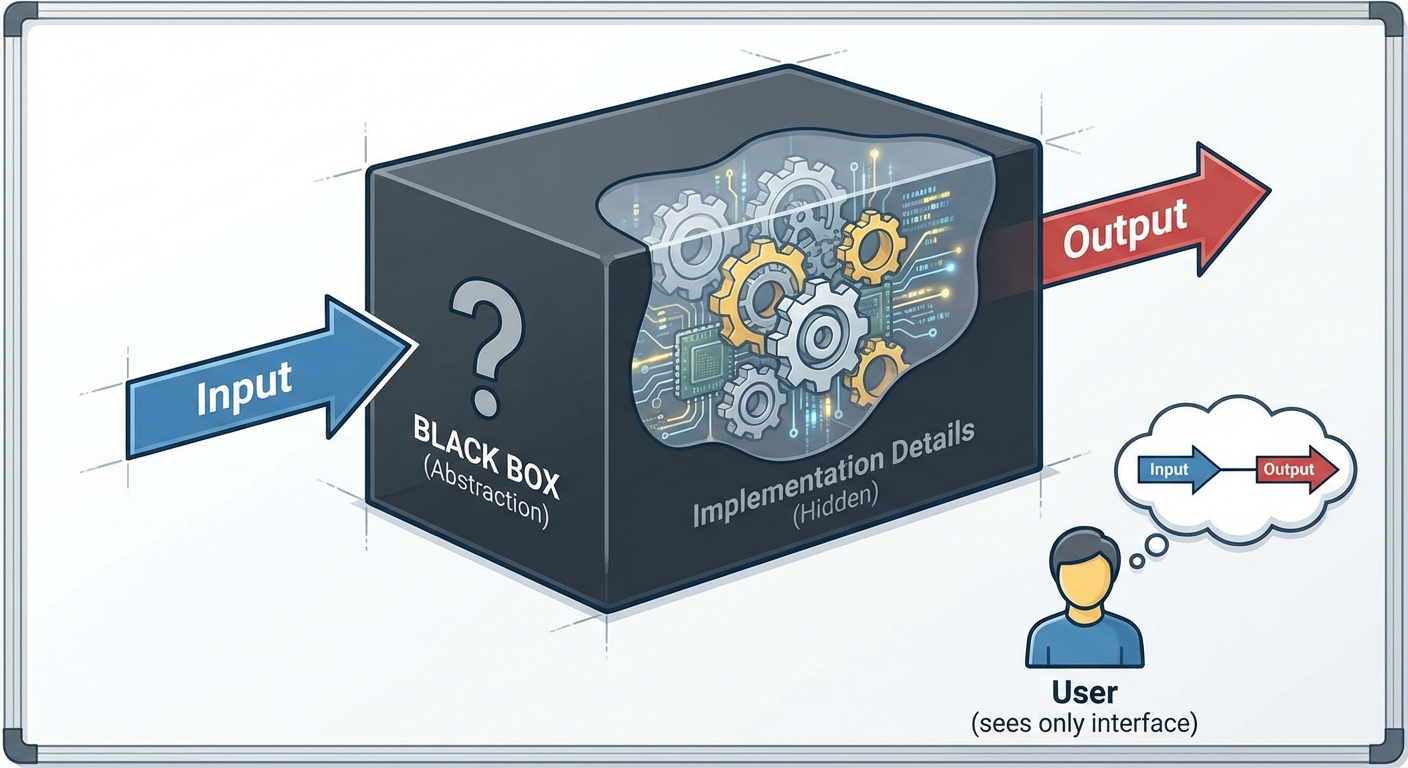
In Computer Science, specifically within the Java object-oriented paradigm, Abstraction is the practice of reducing complexity by hiding unnecessary details. It allows a programmer to focus on what an object does rather than how it performs its internal logic.
Think of a coffee machine. To use it, you only need to understand the interface (buttons for "Brew" or "Steam"). You do not need to understand the thermodynamics of the boiler or the electrical wiring inside. The machine abstracts these details away from the user.
Types of Abstraction
- Procedural Abstraction: Breaking a large program into smaller, manageable methods. The user of the method knows what inputs to provide and what results to expect, without knowing the specific coding steps inside the method.
- Data Abstraction: Hiding how data is stored and structured within a class. Clients interact with the data through specific methods (behaviors) rather than accessing memory directly.
Top-Down vs. Bottom-Up Design
When designing a program, developers use specific strategies to manage abstraction:
- Top-Down Design: Starts with a broad overview of the system and breaks it down into smaller sub-components. This is often called stepwise refinement.
- Bottom-Up Design: Starts by writing specific, low-level modules (like identifying a
Wheelclass and anEngineclass) and assembling them into a larger system (aCarclass).
Impact of Program Design
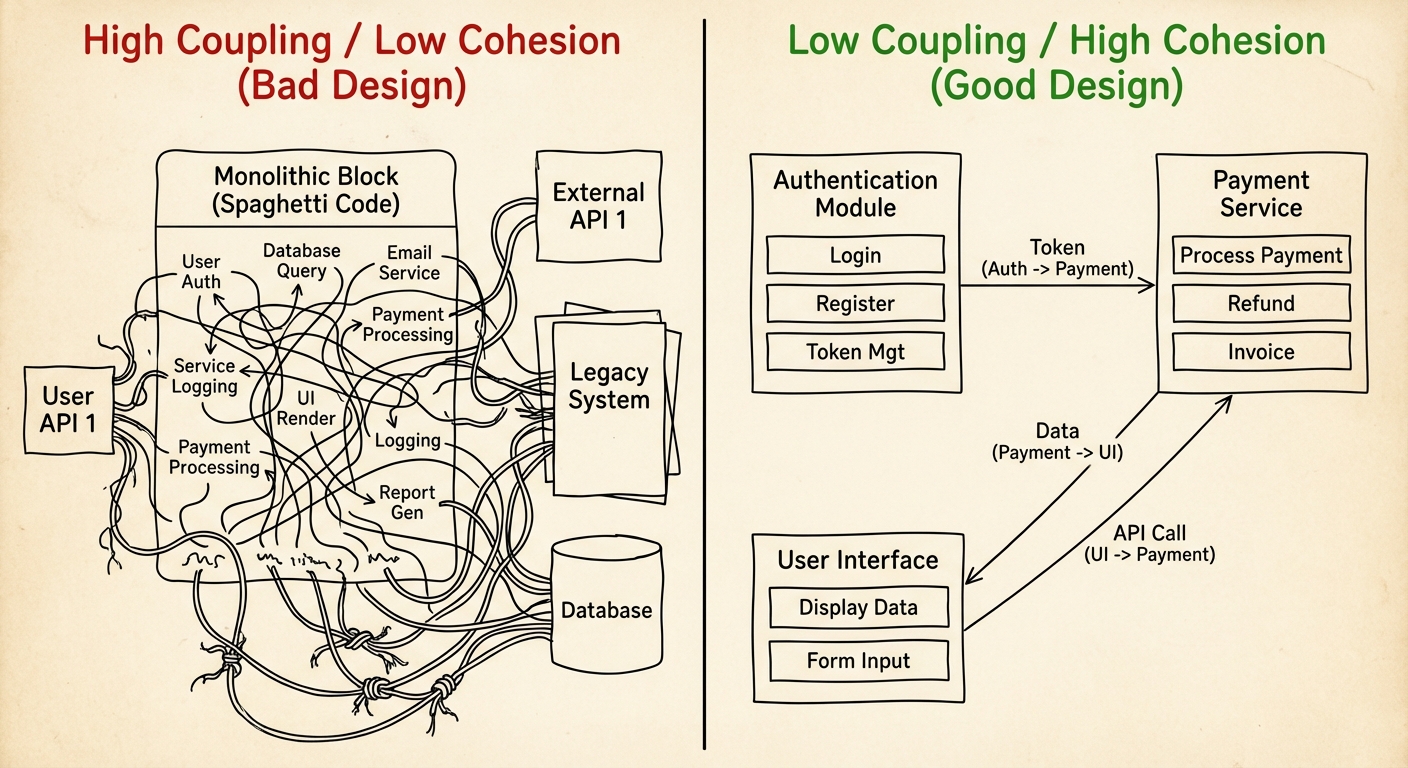
Good program design is not just about making code run; it is about making code maintainable, reusable, and readable. Poor design leads to "spaghetti code"—complex, tangled control structures that are impossible to edit without breaking the program.
Cohesion and Coupling
Two critical metrics determine the quality of a class design:
| Concept | Definition | Goal | Description |
|---|---|---|---|
| Cohesion | How closely the responsibilities within a single class are related. | High | A class should represent a single concept. A Student class should calculate GPA, but it should not manage the database connection or print the school lunch menu. |
| Coupling | The degree of dependency between different classes. | Low | Classes should act independently. If changing one class forces you to rewrite three others, your coupling is too high. |
Benefits of Good Design
- Reusability: High cohesion allows you to take a class (like
ScannerorMath) and use it in entirely different projects without modification. - Debugging: When classes are typically independent (low coupling), isolating a bug is significantly easier because the problem is likely contained within a specific scope.
- Team Collaboration: Different developers can work on different classes simultaneously if the interactions (interfaces) between classes are clearly designed in advance.
Anatomy of a Class
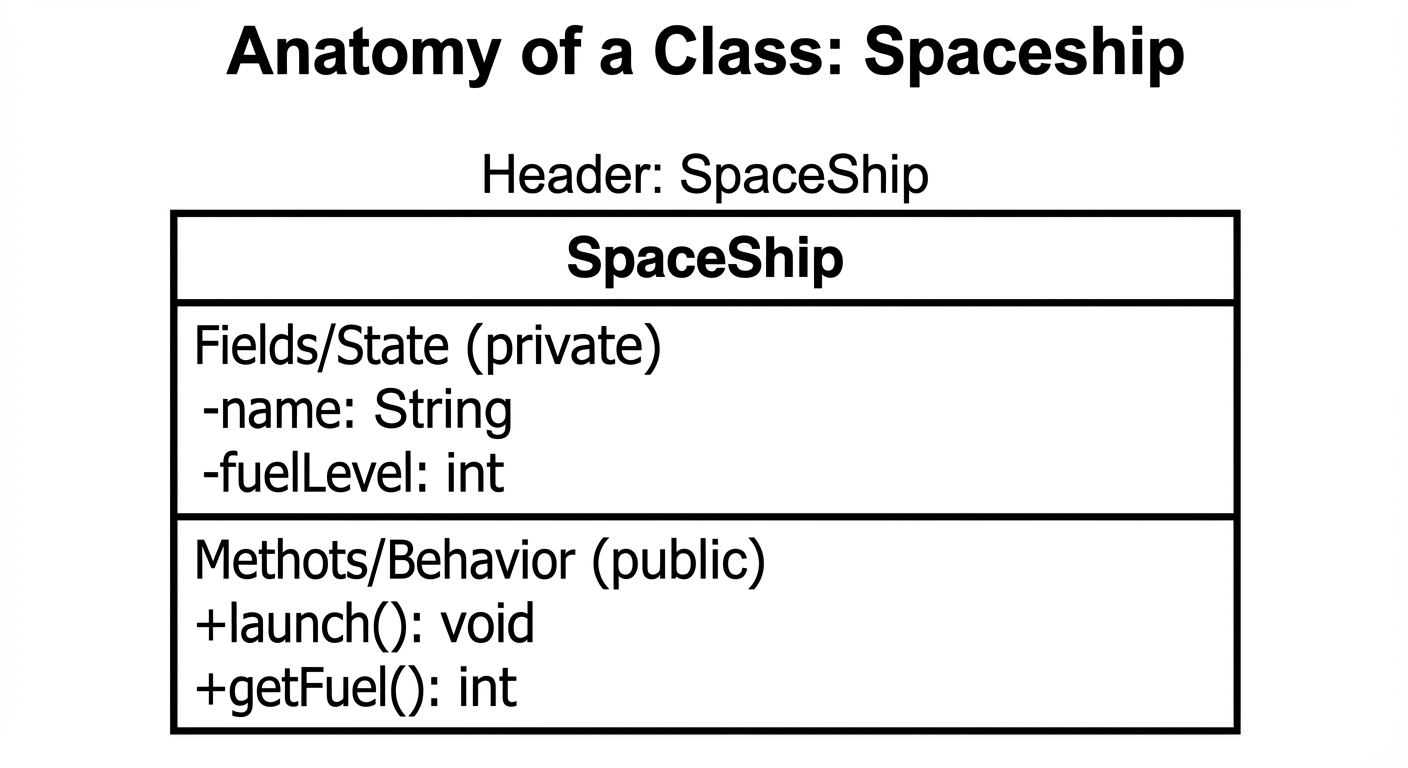
A Class is the blueprint from which individual objects (instances) are created. In Java, a class defines the state (data) and behavior (methods) that the objects will possess.
1. The Class Header
The definition of the class starts here. By convention, class names are UpperCamelCase.
public class Spaceship {
    // Class body goes here
}
2. Instance Variables (Fields)
These represent the state of an object.
- Key Rule (Encapsulation): Instance variables should almost always be declared
private. This prevents external classes from modifying the data directly, enforcing data abstraction. - Scope: The scope of these variables is the entire class.
/* Instance Variables */
private String name;
private int fuelLevel;
private boolean isInFlight;
3. Constructors
A Constructor is a special block of code used to initialize an object.
- Name: Must match the class name exactly.
- Return Type: Constructors have no return type (not even
void).
Overloading Constructors: You can have multiple constructors with different parameter lists.
/* Default Constructor */
public Spaceship() {
    name = "Explorer 1";
    fuelLevel = 100;
    isInFlight = false;
}

/* Parameterized Constructor */
public Spaceship(String initName, int initFuel) {
    name = initName;
    fuelLevel = initFuel;
    isInFlight = false;
}
4. Methods
Methods define the behaviors or actions the object can perform.
Accessors (Getters)
Methods that return the value of a private instance variable. They allow "read-only" access.
public int getFuelLevel() {
    return fuelLevel;
}
Mutators (Setters)
Methods that update the value of an instance variable. They allow you to add logic (like validation) before changing data.
public void addFuel(int amount) {
    if (amount > 0) {
        fuelLevel += amount;
    }
}
Common Mistakes & Pitfalls
Public Instance Variables:
- Mistake:
public int fuelLevel; - Why it's wrong: This violates encapsulation. Any other code can change
fuelLevelto a negative number or nonsensical value without the class knowing. Always useprivatefields withpublicmethods.
- Mistake:
Constructor Return Types:
- Mistake:
public void Spaceship() { ... } - Why it's wrong: If you add
void, Java treats it as a standard method, not a constructor. The object will not be initialized correctly when you callnew Spaceship().
- Mistake:
Variable Shadowing:
- Mistake: Using a local variable or parameter with the same name as an instance variable without using
this. - Example:
public void setName(String name) { name = name; // Only updates the local parameter, not the instance variable! }- Correction: Use distinct names (e.g.,
newName) or usethis.name = name;.
- Mistake: Using a local variable or parameter with the same name as an instance variable without using
Static vs. Instance Confusion:
- Mistake: Making variables
staticwhen they should be unique to each object. - Result: Changing the variable in one object changes it for all objects of that class.
- Mistake: Making variables