AP CSP: Turning Raw Data into Knowledge
Using Programs with Data
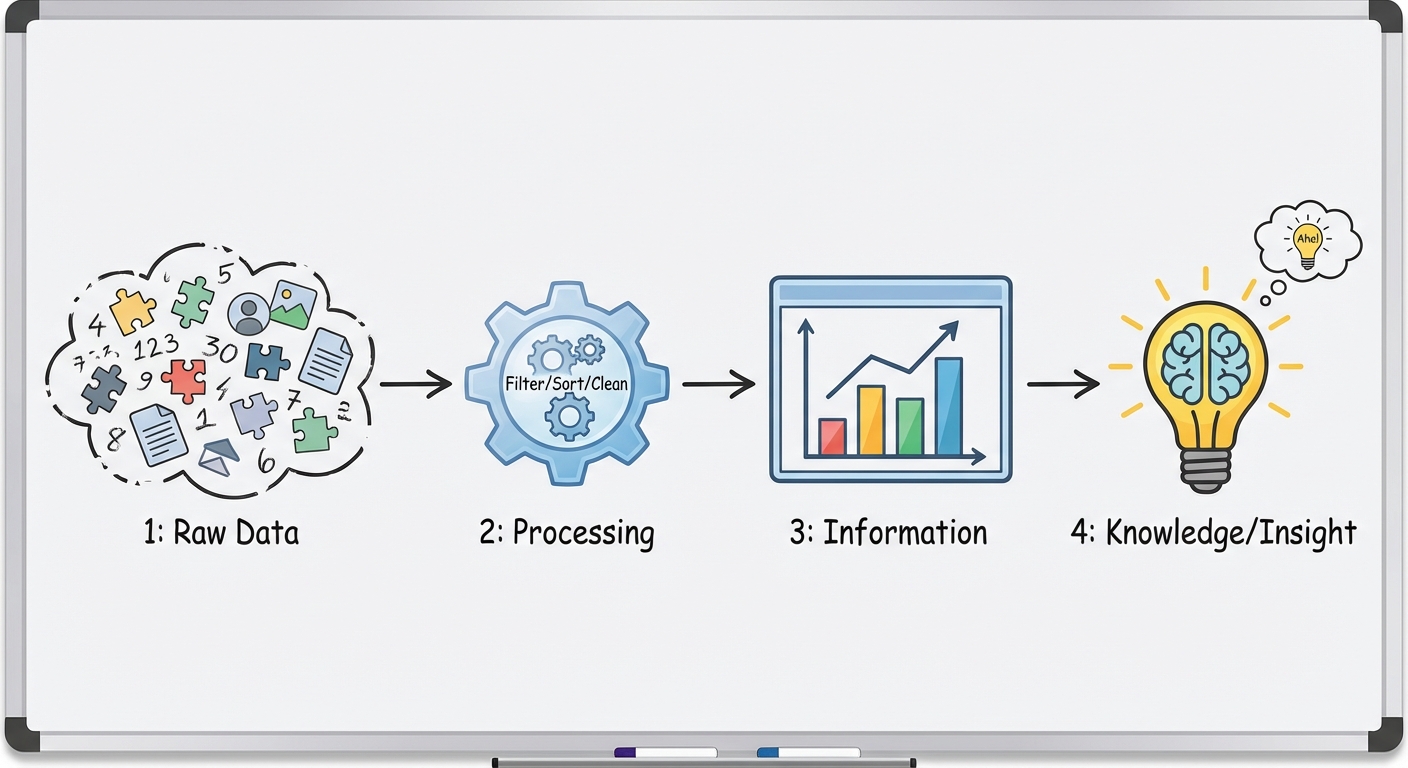
Modern datasets are often far too large for humans to process manually. To analyze this information effectively, we rely on computation to automate the processing of data. When you write programs to interact with data, you are primarily looking to gain insight and discover knowledge—identifying trends, patterns, and correlations that aren't immediately visible in the raw text or numbers.
The Role of Iteration and Automation
Because datasets can contain millions of records, meaningful analysis requires iteration (looping). Programs process data iteratively to:
- Filter: Select a subset of data based on specific criteria (e.g., showing only students with a GPA above 3.5).
- Transform: Change the data into a new format or scale (e.g., converting temperatures from Celsius to Fahrenheit or categorizing ages into "Child," "Teen," and "Adult").
- Combine: Merge data from different sources (e.g., cross-referencing a list of customers with a list of recent purchases).
Patterns and Visualizations
Computers are excellent at crunching numbers, but humans are excellent at recognizing visual patterns. Programs are often used to convert raw data into visualizations (charts, usage graphs, heat maps).
- Tables: Great for looking up precise values but poor for spotting trends.
- Scatter Plots: Ideal for finding correlations between two variables.
- Histograms: Used to see the distribution of data frequencies.
Key Concept: A program does not "understand" the data. It simply applies logic you provide. It is up to the human analyst to interpret the output and decide if a correlation implies causation (which it often does not!).
Metadata
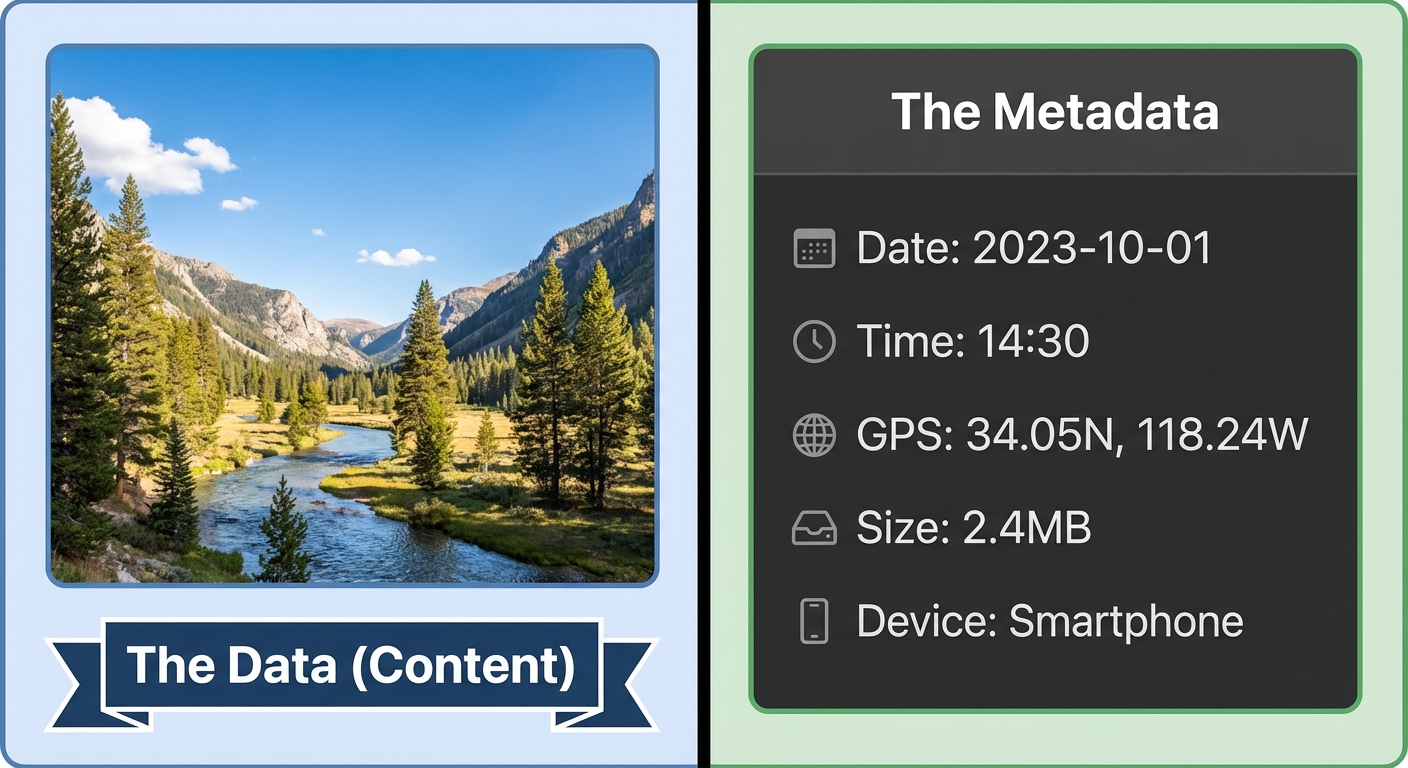
Metadata is defined simply as "data about data." It provides context about a file or dataset without modifying the actual content of that file.
Examples of Metadata
Think of a digital photograph you take on your smartphone. The data is the pixel information (colors, shapes, the image itself). The metadata is everything else implicitly attached to the file:
- Timestamps: Date and time created or last modified.
- Geolocation: Latitude and longitude where the content was created.
- File Information: Size, file format (JPEG, PDF), and resolution.
- Authorship: Owner name or device ID.
Why is Metadata Useful?
- Organization: It allows you to sort emails by date or photos by location.
- Search and Retrieval: Only metadata makes it possible to search for "files created last week."
- Routing: In networking, the header of a packet contains metadata (IP address) telling the data where to go.
Privacy Concerns
Metadata is often just as sensitive as the data itself. Even if the content of a phone call is private, the metadata (who you called, when, and for how long) can reveal your medical conditions, relationships, and routine. Changes to data (editing a photo) differ from changes to metadata (changing the filename). However, modifying a file usually updates the "last modified" metadata automatically.
Cleaning Data
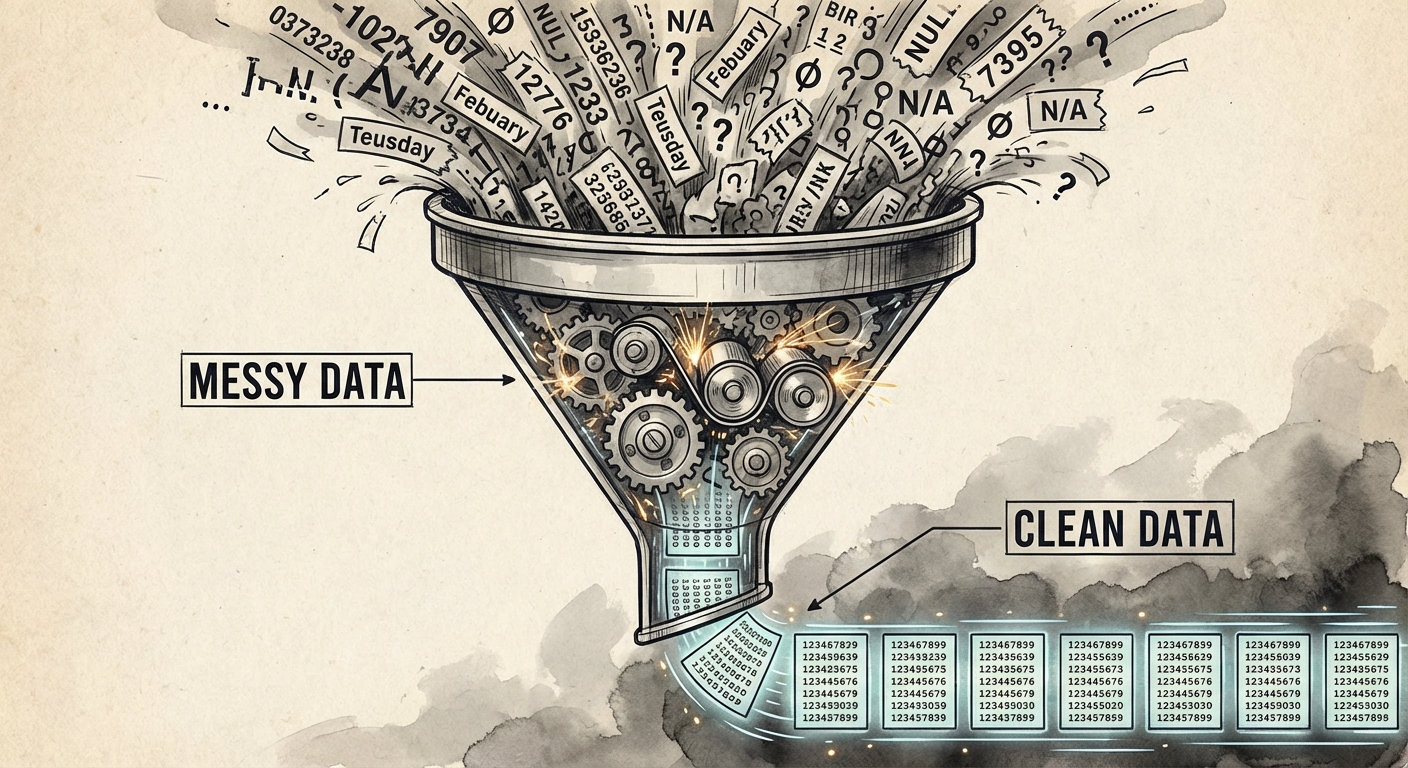
Before data can be analyzed by a program, it typically needs to be "cleaned." Data filtering and cleaning is usually the most time-consuming part of data analysis. Real-world data is rarely perfect; it is often messy, incomplete, or inconsistent.
Why Do We Clean Data?
If you feed bad data into an analysis program, you will get bad insights out. This is known as GIGO (Garbage In, Garbage Out).
Common Data Errors
| Error Type | Example | Impact on Programs |
|---|---|---|
| Inconsistent Formatting | Dates written as "1/2/2023" vs "Jan 2, 23" | Programs cannot sort or compare them chronologically. |
| Missing Values | A blank cell where an age should be | Calculations like Average may fail or result in standard error. |
| Duplicate Entries | The same user listed three times | Skews counts and statistical probability. |
| Invalid Data | An age listed as "-5" or "Five" (string vs int) | Causes runtime errors or mathematical impossibilities. |
The Cleaning Process
Cleaning can be manual (for small sets) or automated (using programs for large sets). Typical cleaning tasks include:
- Standardizing formats: Converting all phone numbers to
(XXX) XXX-XXXX. - Handling missing data: Deciding whether to delete the row, fill it with an average, or flag it.
- Removing outliers: Eliminating extreme values that might be data entry errors.
Common Mistakes & Pitfalls
- Correlation vs. Causation: This is the most frequent error. Just because two data trends move together (e.g., Ice cream sales and shark attacks both go up in July) does not mean one causes the other. Usually, a third variable (Summer heat) causes both.
- Metadata Misunderstanding: Students often think deleting a file's content deletes its metadata, or that changing the file name changes the data usage. Remember: Metadata is the label on the box; Data is what is inside the box.
- Bias in Data: Assuming that "cleaned" data is "objective" data. If the original dataset excluded a specific demographic, no amount of cleaning or programming will fix that bias. The insight will still be flawed.