Comprehensive Guide to Unit 1: Using Objects and Methods
Understanding Objects: Instances of Classes
In Java, which is an Object-Oriented Programming (OOP) language, the fundamental building blocks of your programs are classes and objects. To succeed in AP Computer Science A, you must understand the distinction between the two.
Definitions & Concepts
- Class: A formal implementation or "blueprint" of an entity. It defines the state (attributes) and behavior (methods) that the entity will have. It is not the object itself, but the instructions for building one.
- Object: A specific instance of a class. It is the actual entity created in computer memory based on the blueprint.
The Analogy
Think of a Class as a cookie cutter. The cookie cutter defines the shape and size, but it is not a cookie itself.
Think of an Object as the cookie. Using one cookie cutter (Class), you can create as many individual cookies (Objects) as you want. Each cookie takes up its own space on the baking sheet (memory).

Creating and Storing Objects
To use an object in Java, you must declare a variable, instantiate the object, and initialize it. This is often done in a single line of code.
The Syntax of Creation
The standard format for creating an object is:
ClassName variableName = new ClassName(parameters);
Let's break down this statement:
- Declaration (
ClassName variableName): This tells Java to create a variable capable of holding a reference to an object of the specified class. At this specific moment, the variable is merely a distinct container; it does not yet contain the actual object data. - Instantiation (
new): The keywordnewis a command to the Java memory manager. It requests a chunk of memory large enough to hold a new object of that class. - Initialization (
ClassName(parameters)): This is a call to the Constructor. The constructor is a special block of code that sets up the object immediately after it is created (e.g., giving it default values).
Code Example
// Creating a Scanner object to read keyboard input
Scanner input = new Scanner(System.in);

// Creating a custom Robot object (hypothetical class)
Robot myBot = new Robot();
References vs. Primitives
In Unit 1, it is crucial to understand that an object variable (like myBot) does not store the object itself. Instead, it stores the memory address (or reference) pointing to where the object lives.
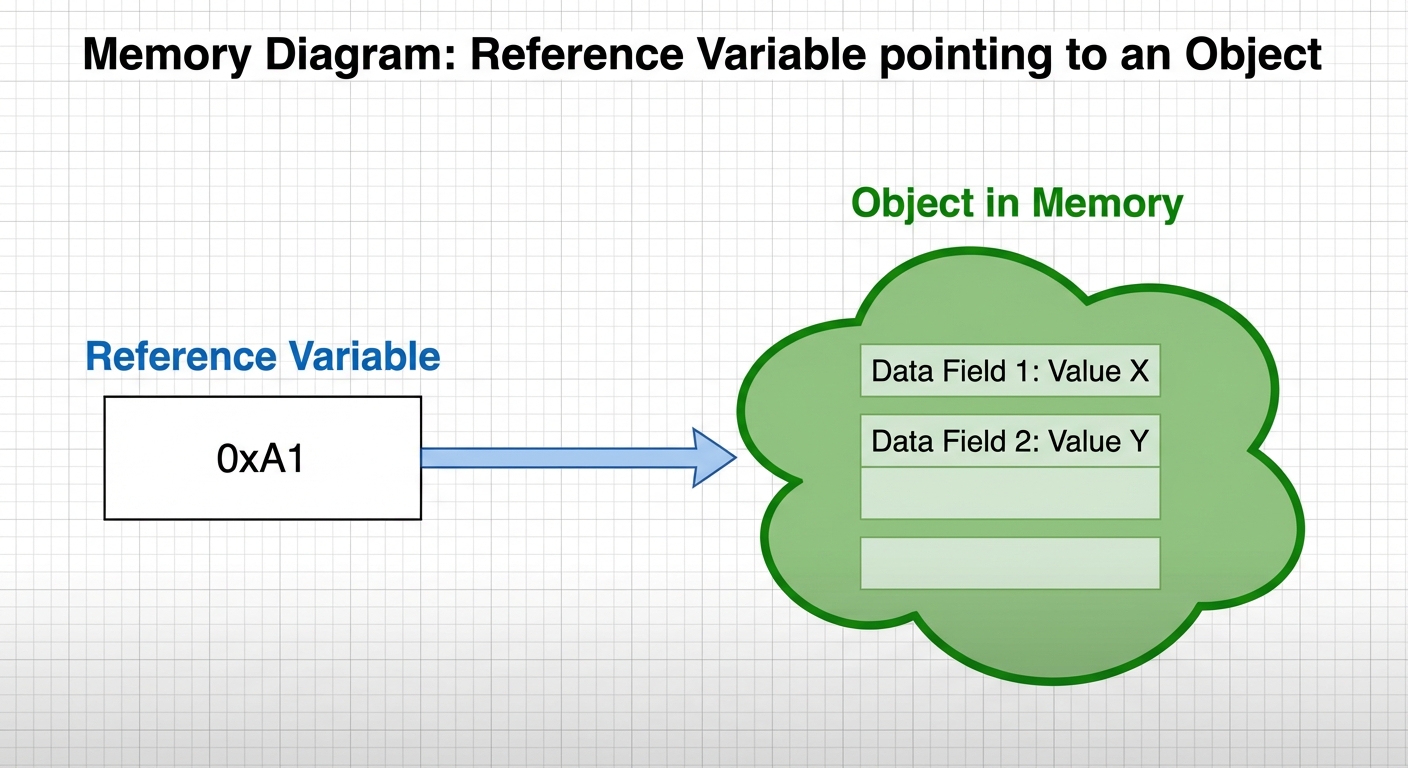
The null Keyword
If you declare a reference variable but do not assign it an object, you can set it to null.
String str = null;
This means the variable exists, but it creates no object in memory and points to nothing. Trying to use a method on a null variable causes a NullPointerException.
Methods Overview
Once an object is created, we use methods to interact with it. Methods define the behaviors of the object. We access methods using the dot operator (.).
General Syntax:
objectName.methodName();
Methods are generally categorized into two types based on whether they produce a result: Void and Non-Void.
Calling a Void Method
Concept
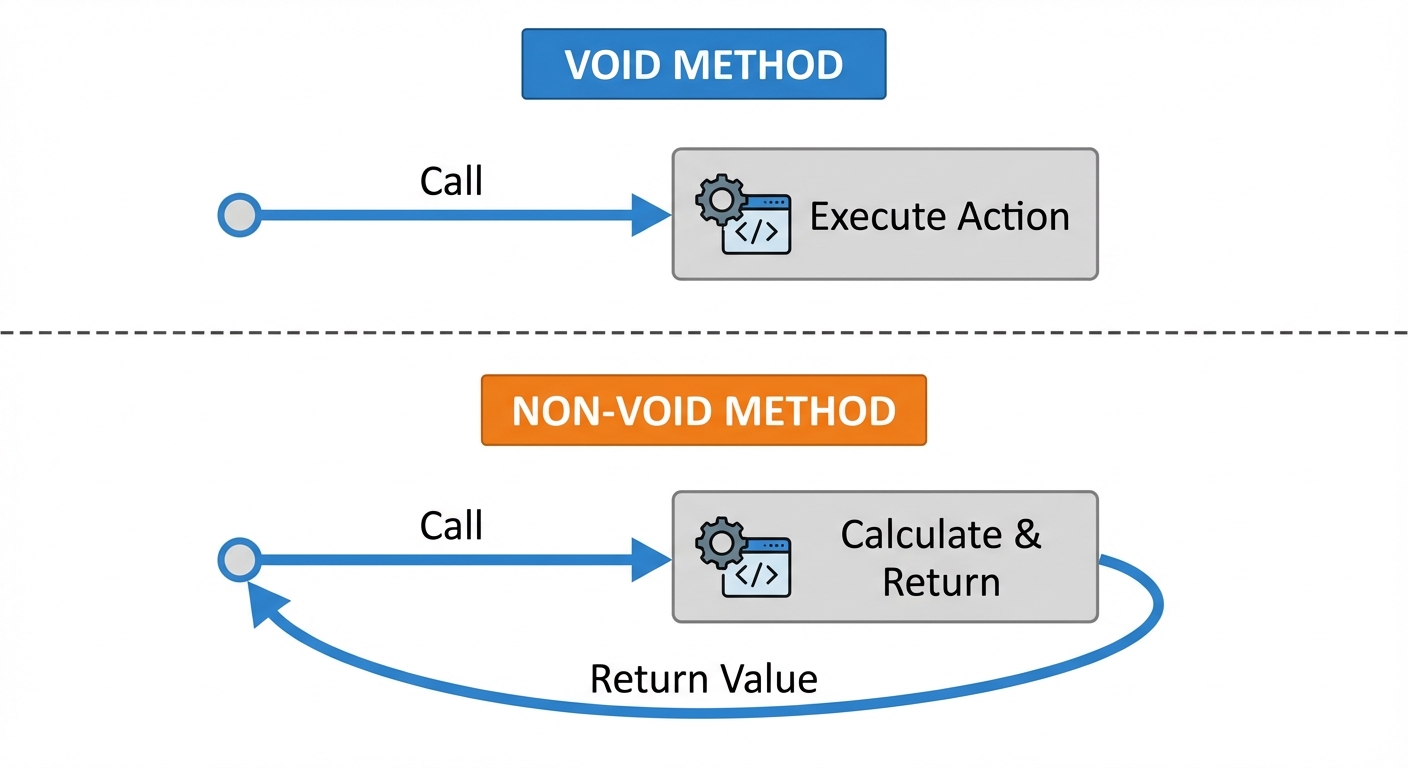
A void method performs an action but does not return any value to the code that called it. It does its job and finishes. In the method signature declaration, the return type is explicitly listed as void.
Usage Rules
- You call the method on the object to trigger a behavior.
- You cannot assign the result of a void method to a variable (because there is no result!).
- You cannot print a void method call directly inside
System.out.println.
Example
Imagine a Turtle class that draws on the screen.
Turtle yertle = new Turtle();

// Correct: Just call the method to perform the action
yertle.turnRight();

// INCORRECT: This will cause a compiler error
// System.out.println(yertle.turnRight());
Calling a Void Method With Parameters
Concept
Methods often require extra information to perform their task. These inputs are called parameters (in the method definition) or arguments (when you pass the actual values).
Parameter Rules
- Count: You must provide the exact number of arguments required by the method signature.
- Order: You must provide arguments in the specific order defined by the class.
- Type: The data type of the argument must be compatible with the parameter type defined in the class.
Example
Let's assume our Turtle class has a method forward(int pixels).
Turtle yertle = new Turtle();

// We pass the integer 100 as an argument
yertle.forward(100);

// INCORRECT types: assuming turn expects only integers
// yertle.turn("Left"); // Error if method expects int
Mnemonics: Parameters vs. Arguments
- Parameters are in the Plan (the class definition).
- Arguments are the Actual values sent in (the method call).
Calling a Non-Void Method (Return Methods)
Concept
A non-void method performs a task and sends a value back to the code that called it. The method signature will specify a return type (e.g., int, double, boolean, String) instead of void.
Usage Rules
When calling a non-void method, you usually want to capture or use the returned data. You can do this in three ways:
- Store it: Assign the result to a variable.
- Print it: Put the call inside a print statement.
- Use it: Use the call as part of a mathematical expression or condition.
Example
Using the standard String class:
String message = "Hello World";

// 1. Store the result
// .length() returns an int
int len = message.length();

// 2. Print the result directly
System.out.println(message.toUpperCase());

// 3. Use it in an expression
// If .length() is 11, result is 16
int mathResult = message.length() + 5;
Common Scenario: The Unused Return Value
Java allows you to call a non-void method and ignore the returned value.
message.length();
This statement is legal code—it runs, calculates the length, and then immediately throws the answer away because you didn't save or print it. This is a common logic error for students.
Common Mistakes & Pitfalls
| Mistake | Description | Example Error |
|---|---|---|
| Null Pointer Exception | Calling a method on a variable that has been initialized to null or not initialized at all. | Exception in thread "main" java.lang.NullPointerException |
| Argument Mismatch | Passing a String when the method expects an int, or passing 3 arguments when the method expects 2. | incompatible types: String cannot be converted to int |
| Assigning Void | Trying to store the result of a void method into a variable. | incompatible types: void cannot be converted to int |
| Ignoring Return Values | Calling a return method (like rectangular.calculateArea()) but not storing the result in a variable, effectively losing the calculation. | No error, but logic fails. |
| Case Sensitivity | Java is case-sensitive. myobject.move() is different from myObject.move(). | cannot find symbol |